|
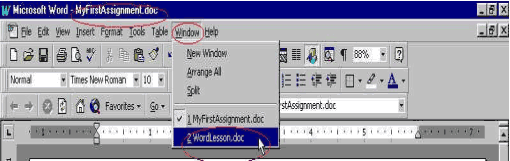
Switch Between Documents If you opened more than one document, the active document (the one you are working on) is always on top of the others. The Title bar shows the name of the active document. To switch between documents, click Window on the Menu bar, then click on the corresponding document which you want to be the active document. Example: The picture below shows that "MyFirstAssignment" is the active document. If you click Window on the Menu bar, choose "WordLesson", then "WordLesson" will become your active document and it will be on top of "MyFirstAssignment".
|
| Back | Index | Next |