|
Change Font, Font Sizes, and Colours You can change the way text looks by changing the font. This text is Times New Roman. This text is Arial. The size of this text is 14 point. The size of this text is 24 point. The colour of this text is Dark Blue. The colour of this text is Red. To Change Font 1). Highlight the text you want to change. 2). On the toolbar, click the Font drop-down arrow.
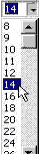
3). From the list of fonts, choose the name of the font you want. To Change Font Size 1). Highlight the text you want to change. 2). On the toolbar, click the Font Size drop-down arrow.
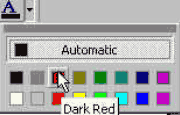
3). From the list of font size, choose the size you want. To Change Font Colour 1). Highlight the text you want to change. 2). On the toolbar, click the Font Colour drop-down arrow.
3). From the list of colours,
choose the colour you want. |

| Back | Index | Next |