Exercise (Apply Shading)
Open a new document and type the words
Happy Birthday
.
Use font size
36
point, and
centre
the text.
Click
Format
on the Menu bar. Choose
Borders and Shading
.
Click the
Shading
tab.
In the
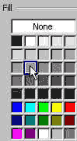
Fill
box, choose
Gray-40%
.
In the
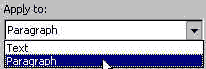
Apply to:
box, choose
Paragraph
.
Click the
OK
button.
I
t should look something like this:
Back
Index
Next