|
Create Paragraph
Border

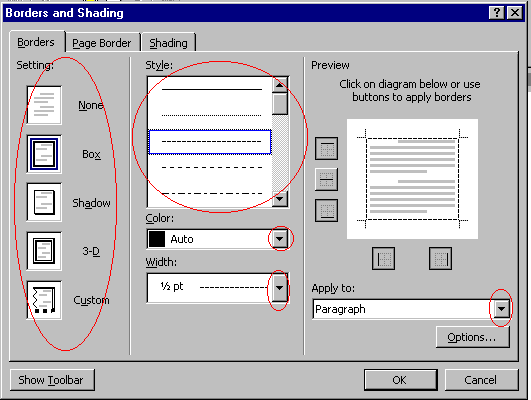
To Create a Paragraph Border:
- Highlight the paragraph that
you want to add a border.
- Click Format on the Menu
bar, choose Borders and Shading.
- Click the Borders
tab.
- Choose an option under
Setting.
- Choose an option in the
Style box.
- Click the Color
drop-down menu. Choose the color of your borders.
- Click the Width
drop-down arrow. Choose the width of your borders.
- Click the Apply to
drop-down arrow. Choose an option.
|