|
Exercise (Outline Numbered
List)
- Type the following text in a
new document:
(Reminder: use Tab to demote the list item to a lower
level.)
Addresses
Delivery Point
Envelopes
Inserting
Lists
Mail Merge
Personal
Return
Create a
return address for envelopes
Create a return
address that contains only text
Create a
return address that includes a graphic logo
Auto Shapes
Aligning attached
text
Drawing
Fitting text within
Inserting
Inserting text
Resizing
Setting margins for attached text
Trouble shooting
The text I type replaces the existing
text
Text doesn't fit inside the drawing
object
I can't move a text object
I can't use drag and drop editing
Text won't flip or rotate with its drawing
object
- Click Edit on the Menu
bar. Choose Select All.
- Click Format on the Menu
bar. Choose Bullets and Numbering.
- Click the Outline
Numbered tab.
- Choose the Outline Numbering
style as indicated below:

- Click OK.
- Select from point 2
(Delivery Point) to point 8.3 (Create a return address that includes
a graphic logo).
- Click the Increase Indent
button on the Formatting toolbar.
- Select from point 3 (Aligning
attached text) to point 10.5 (Text won't flip or rotate with its drawing
object).
- Click the Increase Indent
button on the Formatting toolbar.
- Save and print your
document.
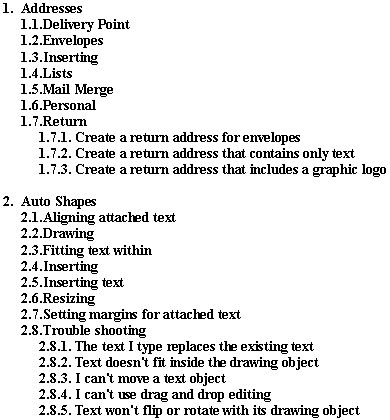
- It should look something like
this:
|