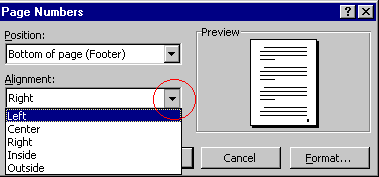
Page Numbers
To Insert Page Numbers On a Document:
Click
Insert
on the Menu bar. Choose
Page Numbers
.
In the
Position
drop-down menu, choose the option you want.
In the
Alignment
drop-down menu, choose the option you want.
Click
OK
.
Back
Index
Next