|
Exercise (Group Objects)
- Open your file
"MyFirstDrawings" if it is not already opened.
- Now, do the following 2 steps
to select 3 objects. (The arrow, the star, and the text box.)
- Click to select the arrow which
is pointing to the 8-point star. Hold down the Shift key on your
keyboard while you click and select the textbox (contains the text: I used the
AutoShapes…).
- Hold down the Shift key
on your keyboard while you click and select the 8-point star.
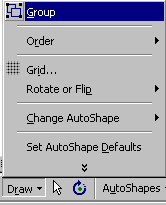
- Click the Draw
 button on the Drawing toolbar.
- Select Group. (Now the
star, the arrow, and the text box are grouped as one object.)
- With the entire group still
selected, click the Fill Color
 button on the Drawing toolbar.
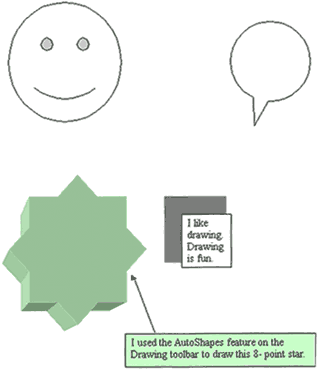
- Choose Light Green. (The
entire group is filled with light green.)
- See sample below:
 |