|
Exercise (Format and Move
Objects)
- Your file "MyFirstDrawings"
should still be opened.
- Right click on the smiley
face.
- Select Format
AutoShape.

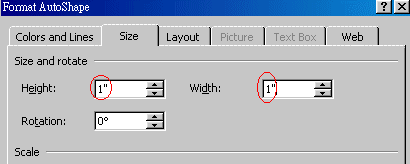
- In the Format AutoShape
dialog box, click the Size tab.

- Enter 1" in the Height
box.
- Enter 1" in the Width
box.
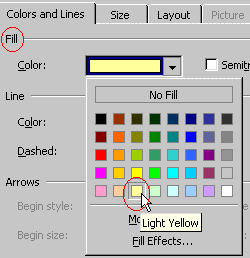
- Click the Colors and
Lines tab.

- Click the Color
drop-down arrow in the Fill section. Choose Light
Yellow.
- Click the Color
drop-down arrow in the Line section. Choose Orange.
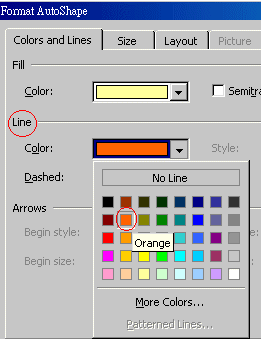
- Click OK
button.
- With the smiley face still
selected, click and move it, so that it is just right above the 8-point star,
release your mouse button.
- See sample below:
 |