|
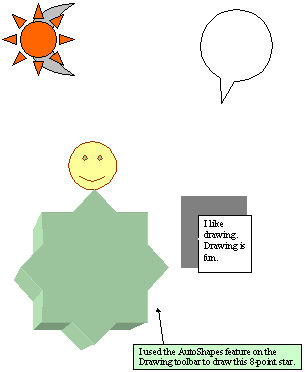
Exercise (Arrange the Orders of
the Objects)
- Your file "MyFirstDrawings"
should still be opened.
- Click the
AutoShapes
 button on the Drawing
toolbar. button on the Drawing
toolbar.
- Select Basic Shapes,
click the Sun button.
- Position the mouse pointer in
the top left corner of the page.
- Draw a sun approximately 2" by
2".
- Click the Fill Color
drop-down
 arrow on the Drawing toolbar. arrow on the Drawing toolbar.
- Choose
Orange.
- Click the AutoShapes
button on the Drawing toolbar.
- Select the Basic Shapes,
click the Moon button.
- Position the mouse pointer in
the top left corner of the page. (On top of the sun.)
- Draw a moon approximately 2" by
1".
- Click the Fill Color
drop-down arrow on the Drawing toolbar.
- Choose
Gray-25%.
- With the moon still
selected:
Click the Draw  button on the Drawing toolbar.
Choose Order.
Choose Send to
Back. (Now the sun is moved to the top layer of the drawing.)
 |